
Carbon by Instfy: calculator, certificate and validation
Estimate your event's emissions with the calculator, understand what the certificate contains and learn how to validate a code at carbon.instfy.com/token.
This page explains the two public tools of Carbon by Instfy: the event emissions calculator, which gives a quick estimate, and the validation page, where anyone can check an issued certificate.
Before you start
- Have an idea of the event's total audience and how people get there.
- To validate a certificate, have the code, the token, the transaction hash or the company or event name on hand. The certificate's QR code also takes you straight to the result.
Use the calculator
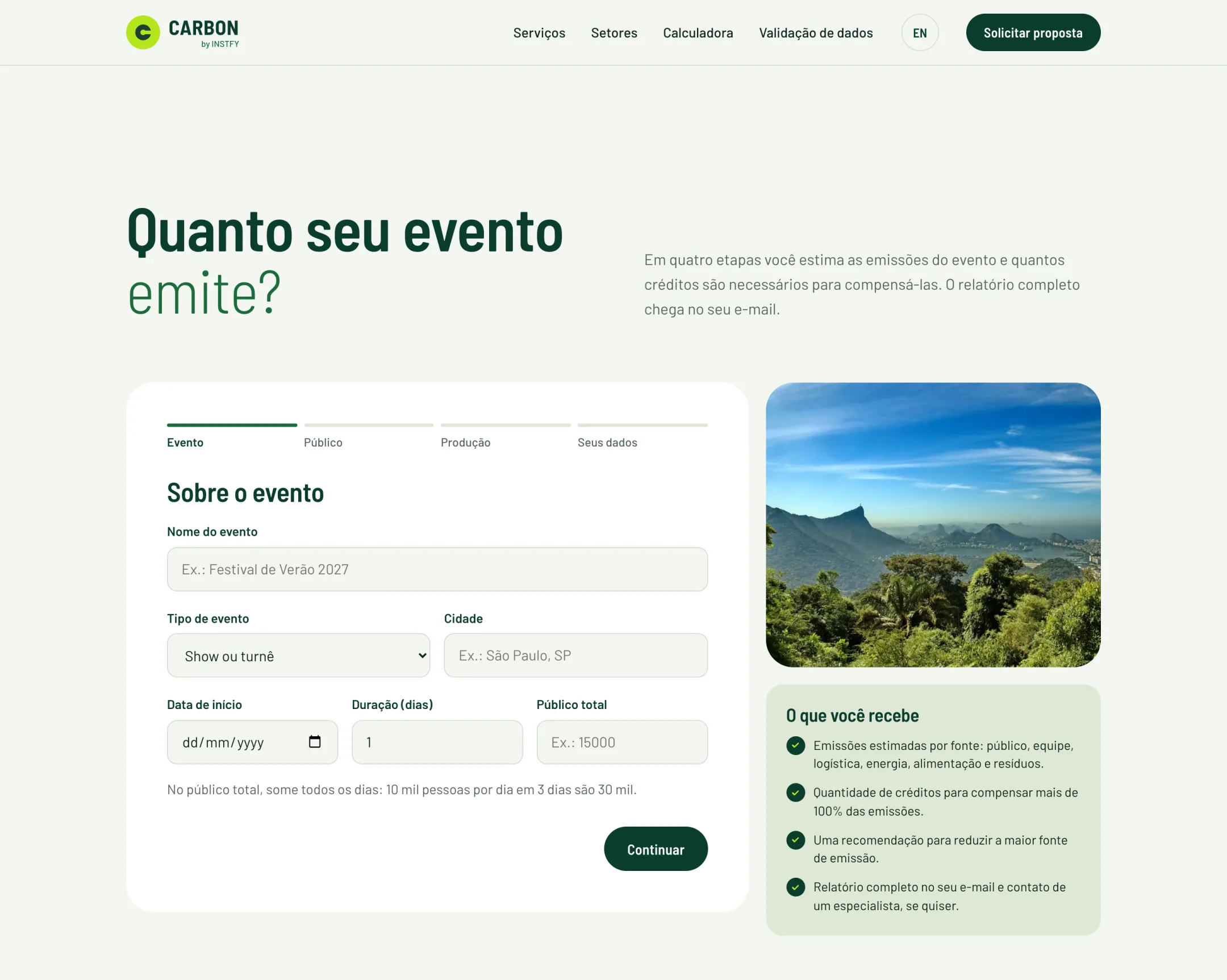
The calculator is on the home page of carbon.instfy.com, in the "How much does your event emit?" section. The calculation runs in your browser.
- Event: enter the name, type (concert or tour, festival, conference or trade show, corporate, sports or other), city, start date and duration in days.
- Audience: enter the total audience across all days, the audience profile, the percentage for each mode of transportation, the average distances and how many people stay overnight.
- Production: enter staff, air travel, hotel nights, trucks, grid energy, generator diesel, meals and the percentage of waste recycled.
- Your details: enter your name, email, phone and company, and give consent for data processing.
- See the result and use the option to email the summary to carbon@instfy.com if you want a proposal.
What the result shows:
- Estimated total in tonnes of CO2 equivalent (tCO2e).
- Suggested credits to cover more than 100% of emissions.
- Emissions per attendee and the largest emission source.
- Equivalent in kilometers driven by car.
- Breakdown by category (audience, lodging, staff, logistics, energy, food and waste) and a tip to reduce the largest source.
The result is an estimate using average factors. It is not the event's official inventory. The inventory behind the certificate is done by the Carbon by Instfy team, with the event's actual data.
What the certificate contains
| Information | What it means |
|---|---|
| Certificate code | One per certificate. A certificate can cover several events, such as a tour |
| Event token | One per event, linking the event to the certificate |
| Inventory | Total emissions, methodology, frameworks used and whether there was independent external verification |
| Offsetting | Credits retired, source project and coverage percentage |
| Transaction | Network, block, date and hash of the recorded transaction, with a link to a public explorer |
| Seal | "Carbon Neutral" seal for use in event materials |
Validate a certificate
Path: carbon.instfy.com/token
- Open the validation page.
- Enter the certificate code (for example, in the format ABC26-1A2B3C), the event token (format XXXX-XXXX-XXXX-XXXX), the transaction hash (starts with 0x) or the company or event name (minimum of 3 characters).
- Check the result: company, events, emissions, credits, coverage and transaction data.
- For an independent check, use the public explorer link shown in the result and compare the hash, block and date.
You can also open the result directly by address, such as carbon.instfy.com/token/c/<code>/.
How to read the result
- Certificate found: the data shown is what Carbon by Instfy recorded. The published page is the official reference and prevails over PDF or image copies.
- Demo record: the result shows the "Demo record" or "Demo model" seal. These certificates exist only to show how validation works, with fictitious companies and projects, and do not prove offsetting.
- Not found: check that the code was typed correctly. If the problem persists, write to carbon@instfy.com.
- External verification: the inventory states whether it went through independent external verification. Read this field before using the certificate in formal reports.
The validation page shows the data recorded by Carbon by Instfy. Checking the transaction on the network is done by you, in the public explorer indicated in the result.
Frequently asked questions
Does the calculator replace the official inventory?
No. The calculator gives an estimate using average factors. The official inventory is done by the Carbon by Instfy team with the event's actual data.
How do I know if a certificate is genuine?
Validate the code at carbon.instfy.com/token. If the certificate appears without the demo seal, the data shown is what Carbon by Instfy officially recorded.
What is a demo record?
It is a sample certificate, with fictitious companies and projects, used to show how validation works. It does not prove emissions offsetting.
Why do the suggested credits exceed 100%?
Offsetting is always done above the calculated volume, and credits are rounded up, to ensure full coverage of emissions.
Can I validate a certificate with the QR code?
Yes. The certificate's QR code opens the result directly on the validation page.
Next steps
Request a proposal or connect an AI assistant to Carbon.