
Training
Set up training types and trainers, schedule training for your team, and track the status and outcome of each session.
The Training module organizes your company's training: onboarding for new employees, and technical, safety, or customer service training. It records who was trained, in what, by whom, and when, building each person's development history.
Before you start
- Employees must be added in HRM > Employees. See HR, attendance, leave, and payroll.
- Use the results from Performance to decide which training to prioritize.
- Have the details of your trainers, internal or external, ready.
Set up training types
Types group training sessions and make reporting easier, for example: Onboarding, Technical, Safety, Customer Service.
Menu path: Training > Training Types
- Open Training > Training Types.
- Click the + button (Create).
- Enter the name of the training type.
- Click Save. Repeat for each type.
Add trainers
Trainers are the people who lead the training. They can be employees or outside professionals.
Menu path: Training > Trainers
- Open Training > Trainers.
- Click the + button (Create).
- Fill in the trainer's details, such as name, contact information, and area of expertise.
- Click Save. The trainer becomes available for training sessions.
Schedule a training
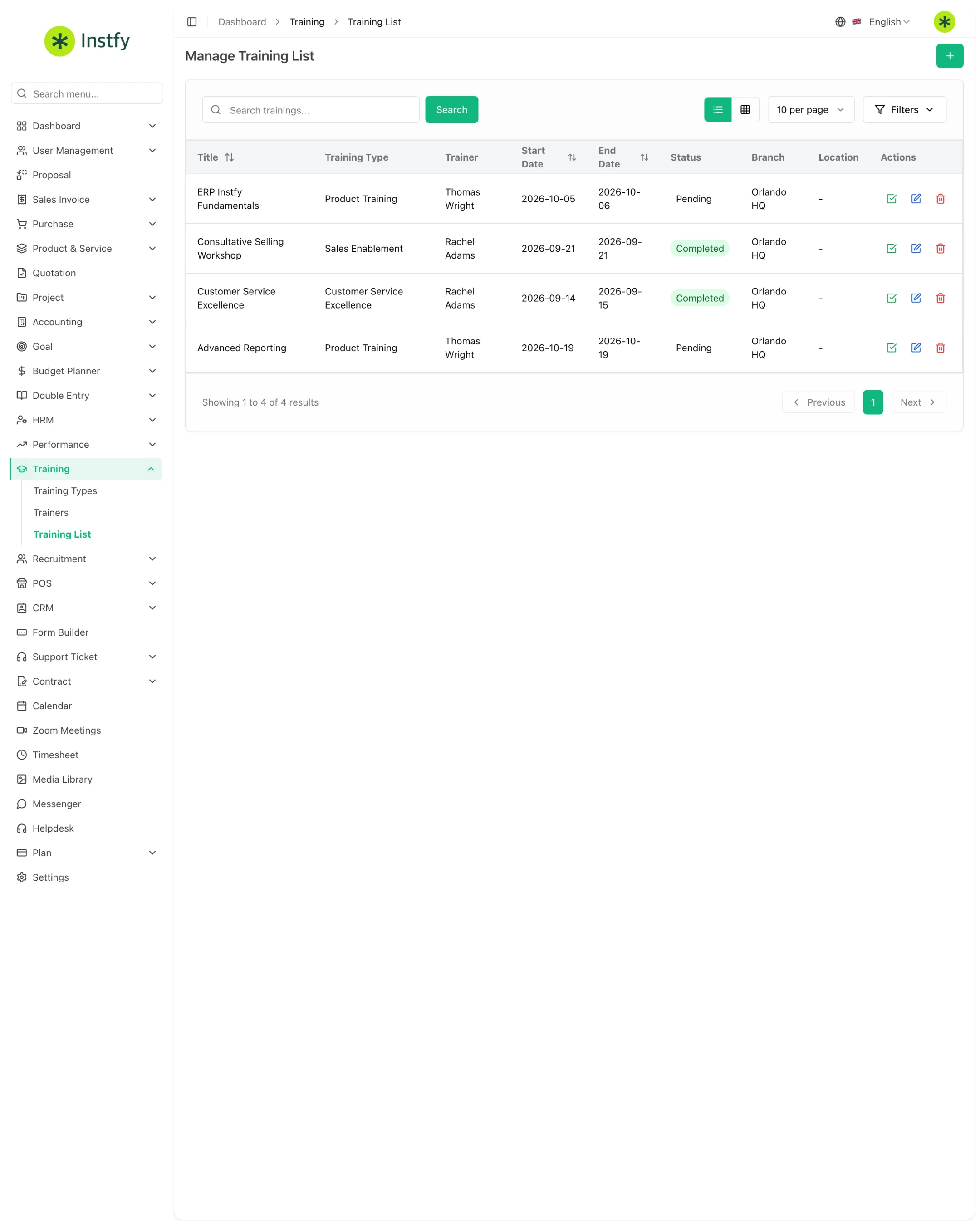
A training brings together the type, trainer, participants, dates, and cost in a single record.
Menu path: Training > Training List
- Open Training > Training List.
- Click the + button (Create).
- Select the training type, the trainer, and the employee or employees who will attend.
- Enter the dates, the cost, and a description of the content.
- Click Save. The training appears in the list.
Record the cost even when it is an estimate. Over the year, you will get a true picture of how much you invested in training.
Track and complete a training
Once it has taken place, update the training so each employee's history is accurate.
Menu path: Training > Training List
- Open Training > Training List and find the training.
- Open the record and update the status as it progresses.
- Record the outcome and notes on the participants' performance, when that field is available.
- Click Save.
Complete flow
- Set up the types in Training Types.
- Add the trainers in Trainers.
- Schedule the training in Training List, with participants, dates, and cost.
- Update the status and outcome at the end.
- Use the history in the next round of performance reviews.
Frequently asked questions
Can I add an outside trainer?
Yes. In Training > Trainers you can add anyone who leads training, whether an employee or a contracted professional.
How do I know which training an employee has completed?
Filter the Training List by employee. Every training they took part in appears there.
Does onboarding training for new employees go here?
It can be added as a training type. For the onboarding checklist for approved candidates, also use Recruitment > Candidate Onboarding. See Recruitment and onboarding.
Are HR events and training the same thing?
No. HRM > Events is for general internal events. The Training module records training with a trainer, participants, cost, and outcome.
Next steps
Connect training to performance reviews and to the onboarding journey for new employees.