
Helpdesk
Open tickets with platform support, follow the replies, and understand when to use the Helpdesk or Support Ticket.
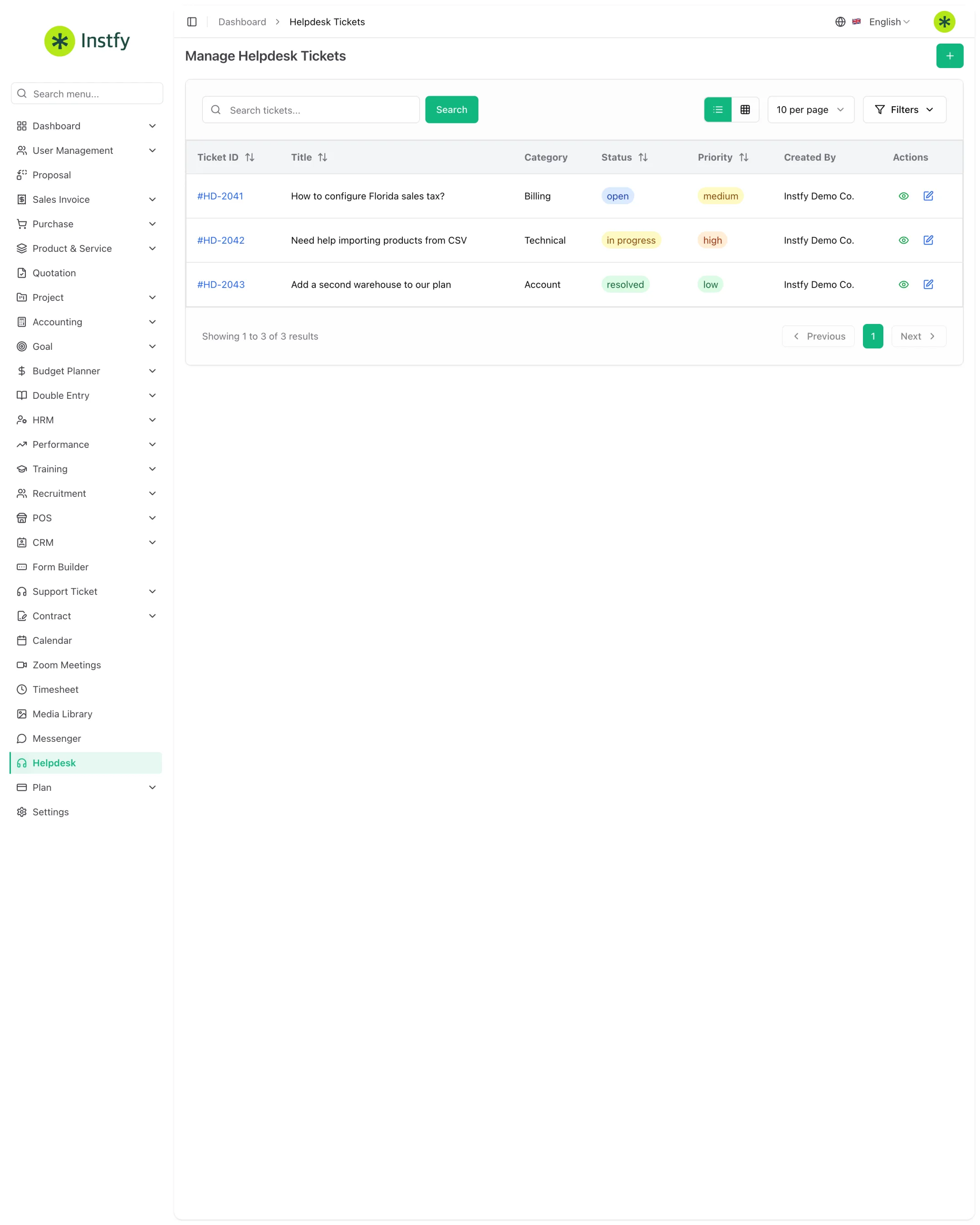
The Helpdesk is a standalone item in the side menu (route /helpdesk-tickets). Your company uses it to open tickets with the team that runs the ERP Instfy platform, for example to report an error, ask a usage question, or get help with your account. It is different from the Support Ticket module, which is your help center for your own customers.
Support Ticket or Helpdesk?
| Support Ticket | Helpdesk | |
|---|---|---|
| Who opens the ticket | Your customers, or your team on their behalf | Your company |
| Who replies | Your support team | Platform support |
| What it is for | Serving your company's customers | Getting help using ERP Instfy |
| Where it is in the menu | Support Ticket > Tickets | Helpdesk |
| Knowledge base and FAQ | Yes, your own | Not applicable |
If the issue is about serving one of your customers, use Support Ticket. If the issue is about the system itself, use the Helpdesk.
Before you start
- First check Troubleshooting and the Frequently asked questions. Many questions already have an answer.
- Have ready what happened, on which screen, what you expected, and, if possible, a screenshot.
- Never send passwords in a ticket.
Open a Helpdesk ticket
A well-described ticket gets resolved faster, because the team does not need to come back with questions.
Menu path: Helpdesk
- Open Helpdesk in the side menu.
- Click the + button (Create).
- Choose the category and priority, if those options exist, and write a clear subject.
- Describe the problem: what you did, what happened, what you expected, and on which screen. Attach screenshots if it helps.
- Click Save. The ticket appears in the list with an initial status.
A subject like "Error saving sales invoice" helps much more than "System problem".
Follow and reply to a ticket
Support replies inside the ticket itself. Follow it there and add information when asked.
Menu path: Helpdesk
- Open Helpdesk and find the ticket in the list.
- Click the ticket to see the message history and current status.
- Write your reply or send the information the team asked for.
- Send the message and wait for a response. When the problem is resolved, the ticket is closed.
Keep one issue per ticket. If a different problem comes up, open a new ticket so each one has its own history.
Complete flow
- Check whether the question is already answered in the documentation.
- Open the ticket in Helpdesk with a clear subject and a complete description.
- Follow the replies in the ticket itself.
- Add information when asked.
- Confirm the solution and leave the ticket closed.
Frequently asked questions
Can my customers open tickets in the Helpdesk?
That is not its purpose. The Helpdesk is your company's channel to platform support. To serve your customers, use the Support Ticket module.
Where do I see the support team's reply?
Inside the ticket itself, in the Helpdesk menu. Open the ticket to see the full message history.
Can I send screenshots and files?
Yes, when the ticket offers attachments. Screenshots showing the error help a lot with diagnosis. Before sending, hide any sensitive customer data and never include passwords.
Are there other ways to contact Instfy?
Yes. See all the official channels in Support and contact.
Next steps
Before opening a ticket, it is worth checking the ready-made answers.