
Overview
Get to know ERP Instfy: what it does, which modules it offers, who it was built for and how this documentation is organized.
ERP Instfy is a cloud business management system, accessed through the browser at erp.instfy.com. It brings sales, purchasing, inventory, finance, accounting, projects, HR, CRM, POS and customer support together in one place, so your company can stop relying on scattered spreadsheets and always have up-to-date business numbers.
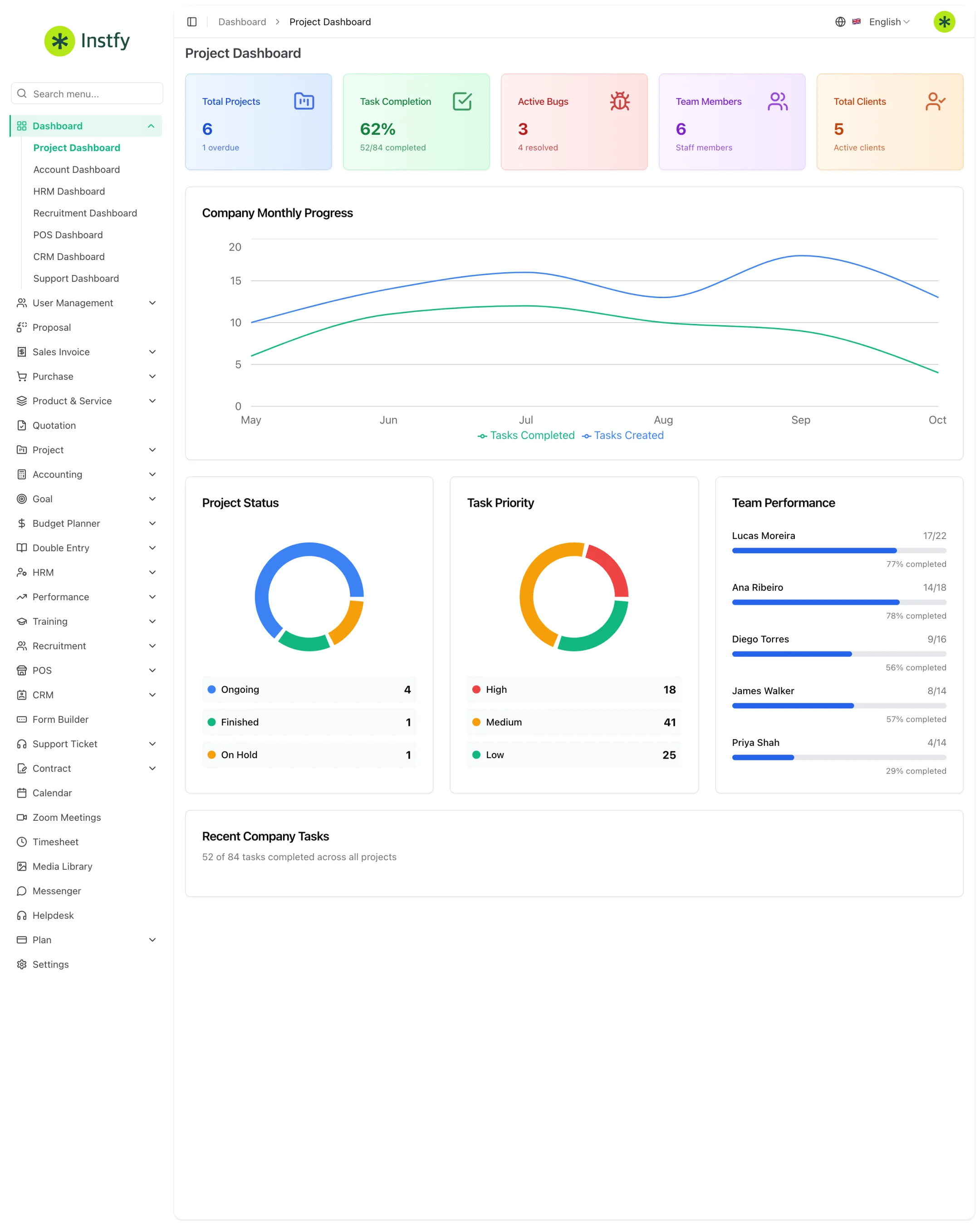
The screens in this documentation were captured in ERP Instfy using a demo company. Names, amounts and figures are fictitious and serve only as examples.
Who ERP Instfy is for
- Small and mid-sized businesses that want to organize sales, purchasing and finance in a single system.
- Service and project-based companies that need to manage tasks, hours and contracts.
- Retailers that sell over the counter and need a POS integrated with inventory and cash.
- People managers who want to centralize employee records, attendance, leave, payroll, performance and recruitment.
Modules, in menu order
The system's sidebar follows the groups below. You see only the modules included in your plan and allowed by your role.
| Menu group | What you do | Page |
|---|---|---|
| Dashboard | Seven dashboards by area: projects, accounts, HR, recruitment, POS, CRM and support | Dashboards |
| User Management | Roles and users | Users and roles |
| Proposal | Sales proposals | Proposals |
| Sales Invoice | Sales invoices and returns | Sales invoices |
| Purchase | Purchase invoices, returns, warehouses and transfers | Purchases |
| Product & Service | Items and categories | Products and services |
| Quotation | Quotations | Quotations |
| Project | Projects, tasks and project report | Projects |
| Accounting | Customers, vendors, banks, chart of accounts, payments, revenue, expenses, debit and credit notes, reports | Finance |
| Goal | Goals, milestones and tracking | Goals |
| Budget Planner | Periods, budgets, allocations and monitoring | Budget |
| Double Entry | Ledger, trial balance, balance sheet and income statement (P&L) | Double entry |
| HRM | Employees, payroll, attendance, leave and employee lifecycle | HR |
| Performance | Indicators, goals and appraisals | Performance |
| Training | Types, trainers and trainings | Training |
| Recruitment | Jobs, candidates, interviews and onboarding | Recruitment |
| POS | Counter sales, orders and barcode labels | POS |
| CRM | Leads, deals and pipelines | CRM |
| Form Builder | Custom forms | Forms |
| Support Ticket | Tickets, knowledge base and FAQ | Tickets |
| Contract | Contracts and contract types | Contracts |
| Standalone items | Calendar, Zoom Meetings, Timesheet, Media Library, Messenger, Helpdesk | Calendar, Zoom, Hours, Media, Messenger, Helpdesk |
| Plan | Subscription plan, orders and bank transfers | Plan and subscription |
| Settings | Company settings and integrations | Settings |
The interface is in English by default. You can change the language using the selector at the top of the screen. In this documentation, menu paths appear as they do in the English interface.
Where to start
How this documentation is organized
- ERP · Start here: implementation roadmap, overview, first access, interface and roles.
- ERP · Setup: settings, users, integrations and plan.
- ERP · Dashboards: the dashboards for each area.
- ERP · Sales and customers: CRM, proposals, quotations, invoices, contracts and POS.
- ERP · Purchasing and inventory: products, purchases, warehouses and transfers.
- ERP · Finance: accounting, double entry, budget and goals.
- ERP · Projects: projects, hours and forms.
- ERP · People (HR): HR, performance, training and recruitment.
- ERP · Support: tickets, helpdesk, messenger, calendar, Zoom and media.
- ERP · Help: frequently asked questions, troubleshooting and glossary.
Each module page lists the roles that have access, the menu path, numbered steps, frequently asked questions and links to next steps. For search and navigation tips in this help center, see How to use this documentation.
Frequently asked questions
Does ERP Instfy need to be installed?
No. ERP Instfy runs in the browser, at https://erp.instfy.com. All you need is an internet connection and an up-to-date browser, such as Chrome, Edge, Firefox or Safari.
Why don't I see all the modules on this list?
The menu shows only the modules included in your plan and allowed by your access role. See Plan and subscription and Roles and permissions.
Is the system available in other languages?
Yes. The interface is in English by default, but you can change the language using the selector at the top of the screen. See First access and login.
Where do I start after subscribing?
Follow the Implementation roadmap. It shows what to set up on the first day, in the first week and in the weeks that follow, with links to each page.
Next steps
Open the implementation roadmap and log in for the first time.