
Media Library
Upload images and files just once, organize everything in one place, and reuse them across ERP Instfy modules.
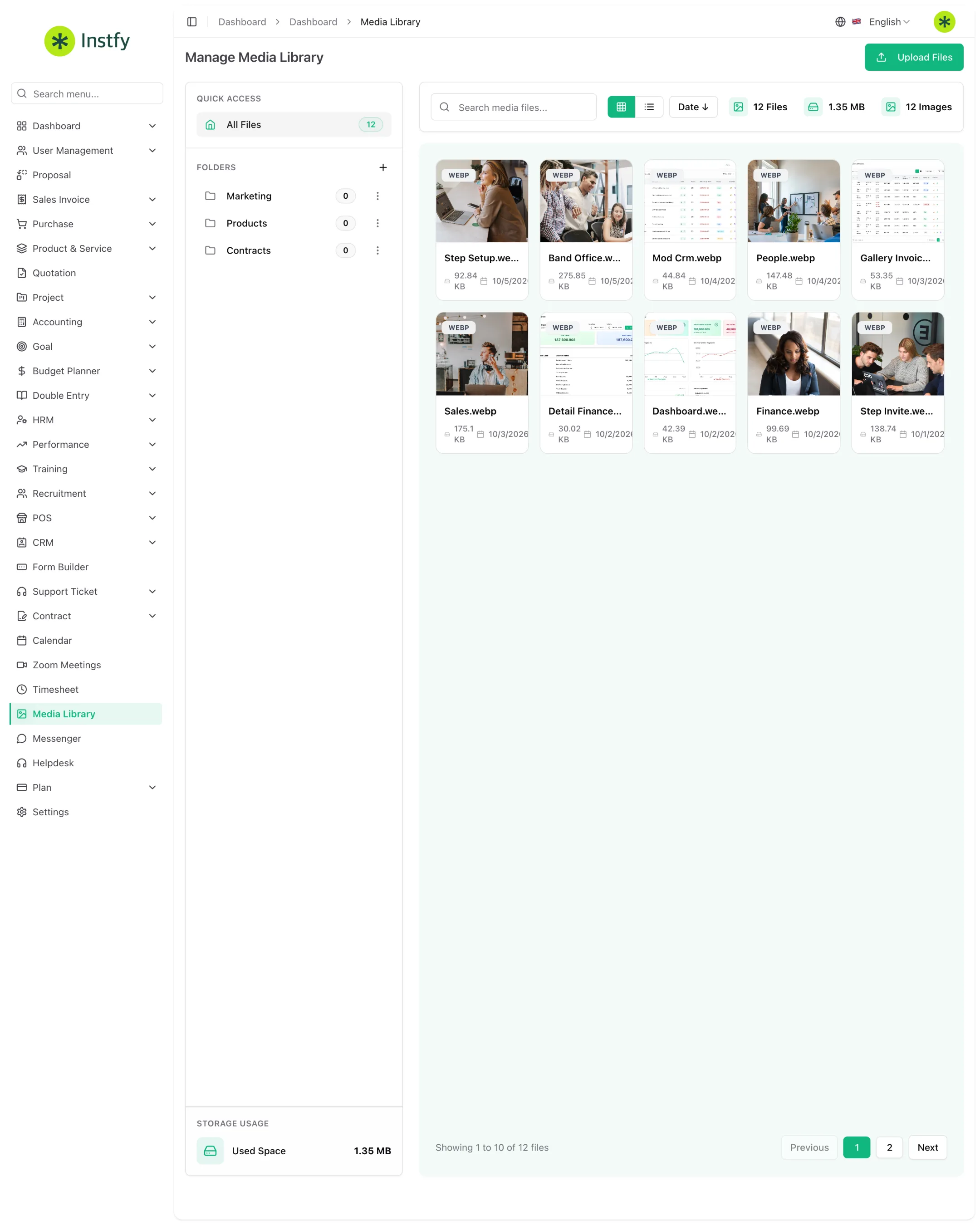
The Media Library is a standalone item in the side menu that centralizes your company's files in the system: logos, product images, documents, and other attachments. Instead of uploading the same file several times, you store it in the library and reuse it wherever you need it.
Before you start
- Prepare your files with clear names, such as "logo-horizontal.png" or "catalog-2026.pdf". This makes them easier to find later.
- Reduce the size of very large images before uploading. The system runs faster and screens load better.
- Check that your role has access to the library in Roles and permissions.
Upload files
Upload to the library anything that will be used more than once.
Menu path: Media Library
- Open Media Library in the side menu.
- Click the upload files option.
- Select the files on your computer or drag them to the upload area, when available.
- Wait for the upload to finish. The files appear in the library.
Do not store documents with sensitive personal data in the library unless necessary. It is better to attach them directly to the record they belong to, such as the employee's profile.
Organize the library
An organized library prevents duplicate files and wrong versions from being used.
Menu path: Media Library
- Open Media Library.
- If folders are available, create folders by topic, such as Brand, Products, and Documents, and move the files into them.
- Use the available search and filters to find older files.
- Delete outdated versions so no one uses the wrong file.
Reuse a file
Once uploaded, the file can be used in other parts of the system.
Menu path: Media Library and the module where the file will be used
- Open the record where you need the file, such as an item in Product & Service > Items or your brand in Settings > Brand Settings.
- In the image or attachment field, choose the file from the library when that option is offered.
- If you need the file's link, open Media Library and copy the address using the corresponding action.
- Save the record.
Complete flow
- Prepare files with clear names and an appropriate size.
- Upload them to the Media Library.
- Organize by topic and remove old versions.
- Reuse them in the system's records and settings.
Frequently asked questions
What file types can I upload?
Common images and documents are accepted. If a file is rejected, check its format and size and try again.
Does deleting a file from the library affect other records?
It can. If the file is in use, for example as a product image, it may stop appearing. Before deleting, check where it is used.
Who can see the files in the library?
Users in your company with access to the module, according to the permissions defined in User Management > Roles.
Does the library work as a document backup?
No. It exists to organize and reuse files within the system. Keep copies of important documents in your own storage.
Next steps
Use the library's files to customize your brand and complete your records.